SAP Certification — Overview
SAP certifications validate your knowledge of specific SAP modules and technologies. They are globally recognized and significantly boost your profile for SAP consultant roles at companies like TCS, Infosys, Capgemini, Accenture, Deloitte, and IBM.
SAP certifications are administered through the SAP Learning Hub — an online learning and proctored exam platform available 24/7. In this module, you will learn how to book the slot for SAP Certification exam.
Types of SAP Certifications
- Associate: Entry-level certification for consultants — most popular for freshers (e.g., C_TS452_2022 for SAP MM)
- Professional: Advanced certification requiring project experience
- Specialist: Role-specific certifications for SAP BTP, Fiori, etc.
How to Book Your SAP Certification Exam Slot
Step 1 — Access the SAP Learning Hub (College Portal)
Your college provides access to the SAP Learning Hub through your institutional Outlook email ID. Make sure for this exam you don't have to pay any amount, it's completely free as you have Voucher Code.
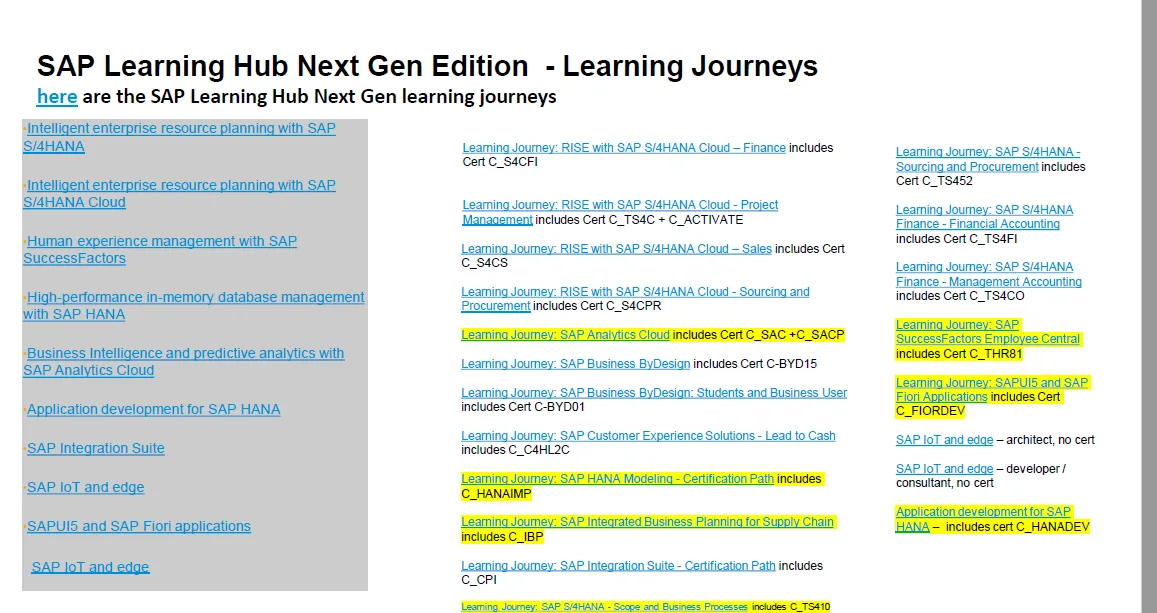
Step 2 — Login to SAP Learning Hub
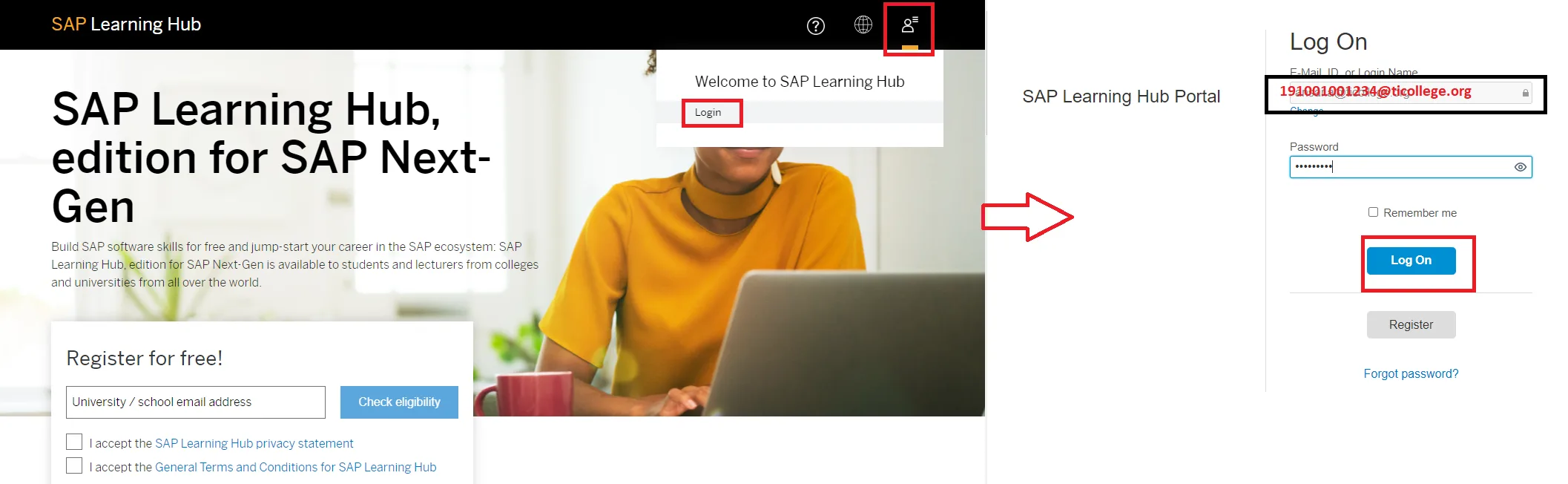
Visit learning.sap.com and click on Log On. Then you have to enter your outlook mail id (Provided from college) and password which you have set.
Step 3 — Find Your Course
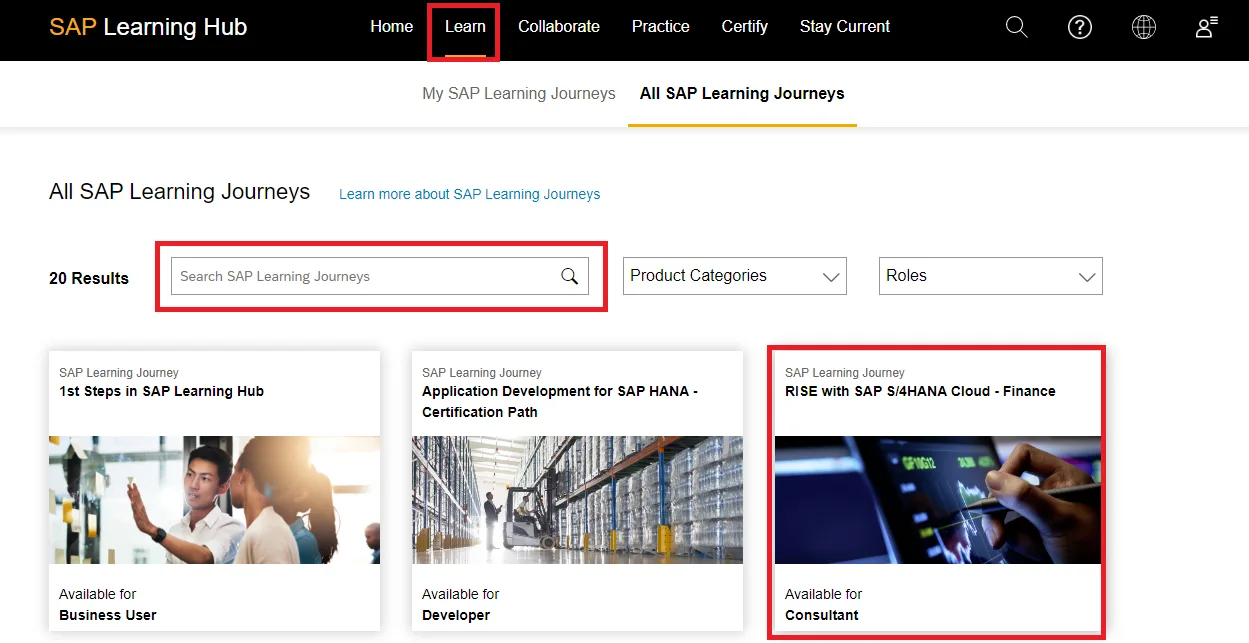
After successfully logged in, click on the Learn Tab and search the course name in search box. Also if you scroll down you also find the course as well.
Step 4 — Accept Terms & Access Exam Dashboard
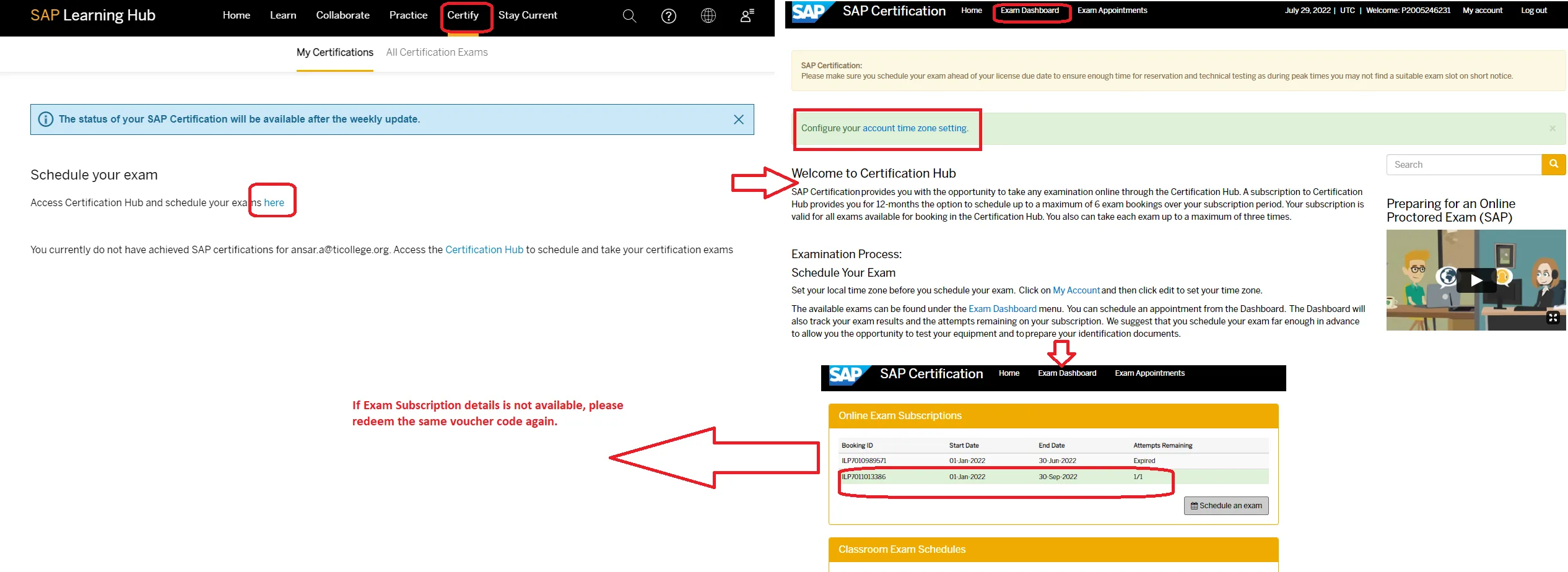
Open the course and review the content. When prompted, accept all the terms and conditions to proceed. After accepting all the terms and condition, Click on the Exam Dashboard and find exam subscriptions details. Same as the below screen.
Step 5 — Schedule Your Exam Slot
- Click Schedule Exam next to your active voucher/subscription
- Select your preferred exam date, time slot, and language (English recommended)
- Choose Online Proctored — you take the exam from home via webcam
- Confirm your booking — a confirmation email will be sent to your college Outlook ID
Step 6 — Prepare Your Exam Environment
- Stable internet connection (minimum 10 Mbps)
- Quiet, well-lit room — no other people allowed during the exam
- Valid government photo ID ready (Aadhaar, Passport, or Driving License)
- Webcam and microphone working properly
- Close all other applications before the exam starts
Popular SAP Certification Codes (2026)
| Certification | Code | Level |
|---|---|---|
| SAP Certified Associate — SAP S/4HANA Sourcing and Procurement | C_TS452_2022 | Associate |
| SAP Certified Associate — SAP S/4HANA Sales 2023 | C_TS460_2023 | Associate |
| SAP Certified Associate — ABAP with SAP NetWeaver 7.50 | C_TAW12_750 | Associate |
| SAP Certified Associate — SAP Fiori Application Developer | C_FIOAD_2021 | Associate |
Prepare with our free SAP courses on Tech6Sense before booking your certification exam.